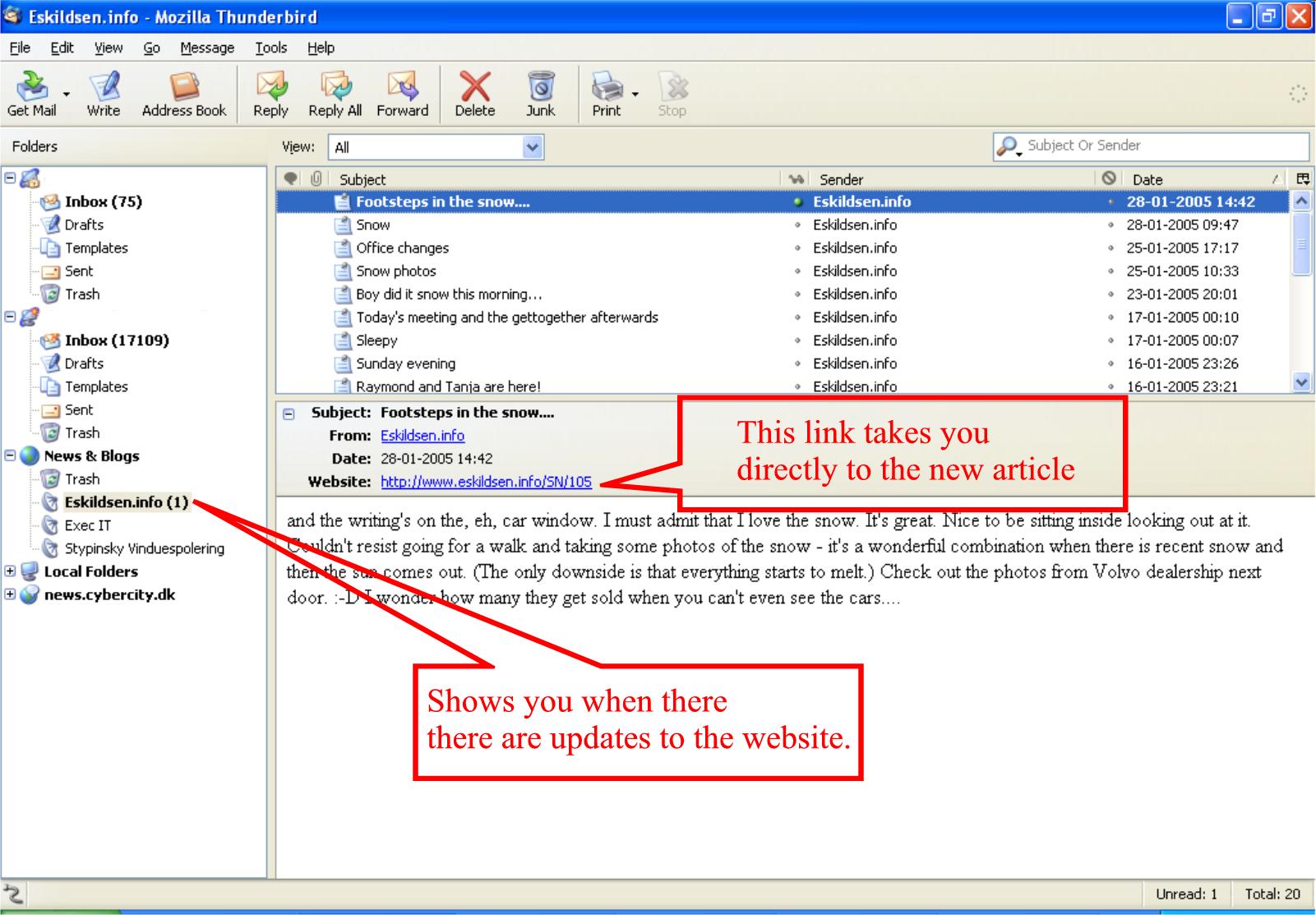
Some time ago I programmed my SiteNews program to also generate a RSS feed.
The RSS Feed is avaliable here:
http://www.eskildsen.info/rss.php
(clicking on the above link is not very interesting, you need to put the link into a RSS FEED READER.)
Thunderbird has built in RSS feed support, this is how to add a feed to Thundbird:
Step one
First you need to create a RSS News & Blogs account in Thunderbird by doing this:
In Thunderbird
File menu
New—> Account
Select RSS News & Blogs
Step two
Right click "News & Blogs" in the right hand column and select "Manage Subscriptions"
In the Manage Subscriptions box click on ADD.
The Feed URL is http://www.eskildsen.info/rss.php
Tick "Show the page summary instead of loading the page."
Click OK
Click OK
AND NOW IT WORKS!
Now when I add an article to Eskildsen.info, the text of the article will appear just like a new email does in Thunderbird.
Why is this handy?
Now you don't have to keep on checking www.eskildsen.info for updates - you'll automatically be notified when there is an update ;-)
Hope you think that it is handy.
I use it to keep track of my customers's sites to see if they have updated their sites without me realising.
I have attached a screenshot of my Thunderbird.
Looking for other feeds to add to Thunderbird? Here is another one: